Snap to recipe
Snap your fridge. Get dinner.
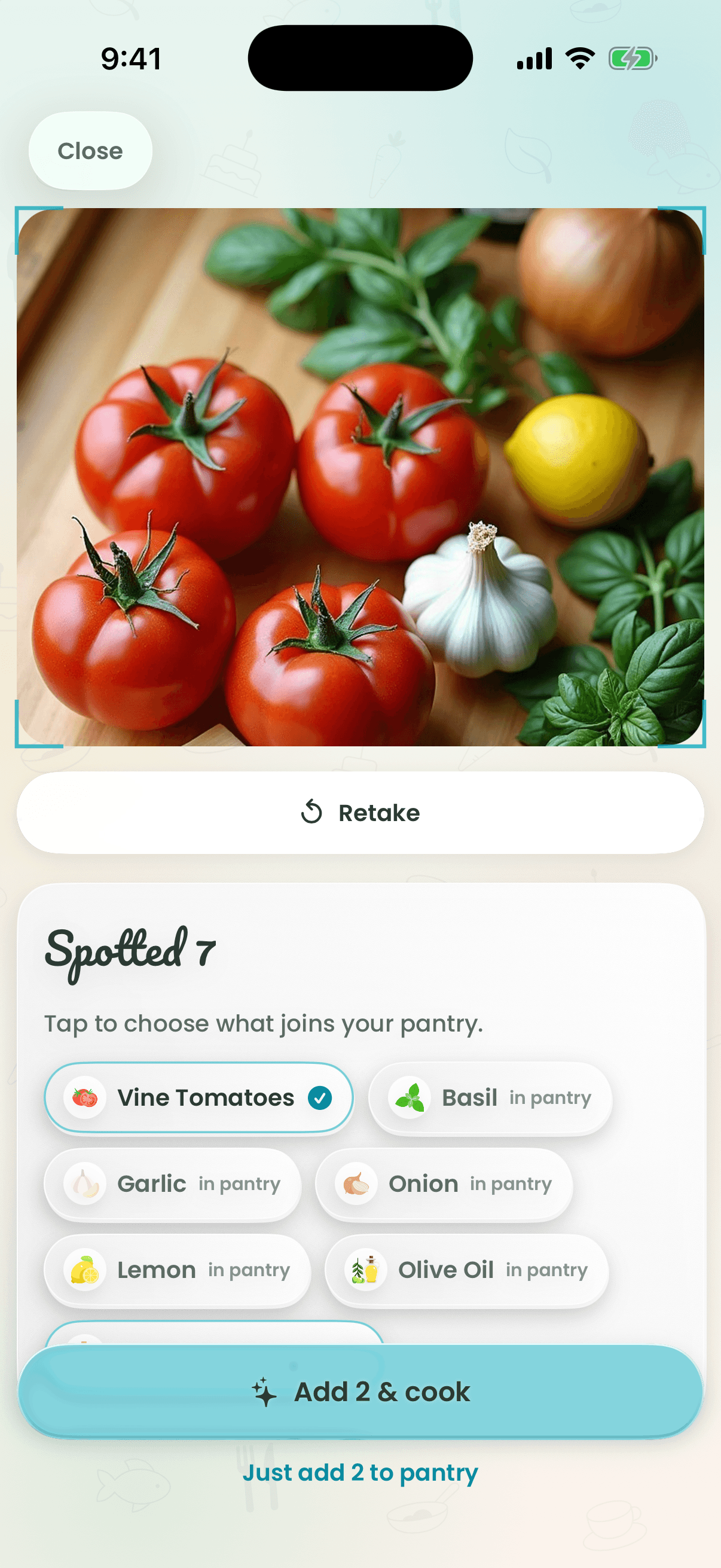
Point your camera at an open fridge, a counter full of ingredients or a dish you loved at a restaurant. Recipe Wizard recognizes what it sees, lets you confirm it, and writes a recipe you can make with what's in front of you. Grocery receipts scan straight into your pantry.

How it works
- 1
Hold the pot and choose Snap, or open Snap in Make.
- 2
Photograph your fridge, ingredients or a dish.
- 3
Check the ingredients it found.
- 4
Cook the recipe it writes for you.
Why cooks love it
- Ingredients or dishes
- Recognizes raw ingredients to cook with, or a plated dish to recreate at home.
- Receipts to pantry
- Scan a grocery receipt and the edible items land in your pantry automatically.
- Always your call
- You confirm what it found before anything is cooked up.
Questions
Can I get a recipe from a picture of my fridge?
Yes. Snap the open fridge or your ingredients; Recipe Wizard lists what it recognizes, you confirm, and it writes a recipe using them.
Can it recreate a restaurant dish from a photo?
Yes. Photograph a dish and Recipe Wizard writes a home version of it.
Keep exploring
Tonight’s dinner is one tap away.
Free to start on iPhone, Apple Watch and the web.