Everywhere
Your kitchen, on every screen
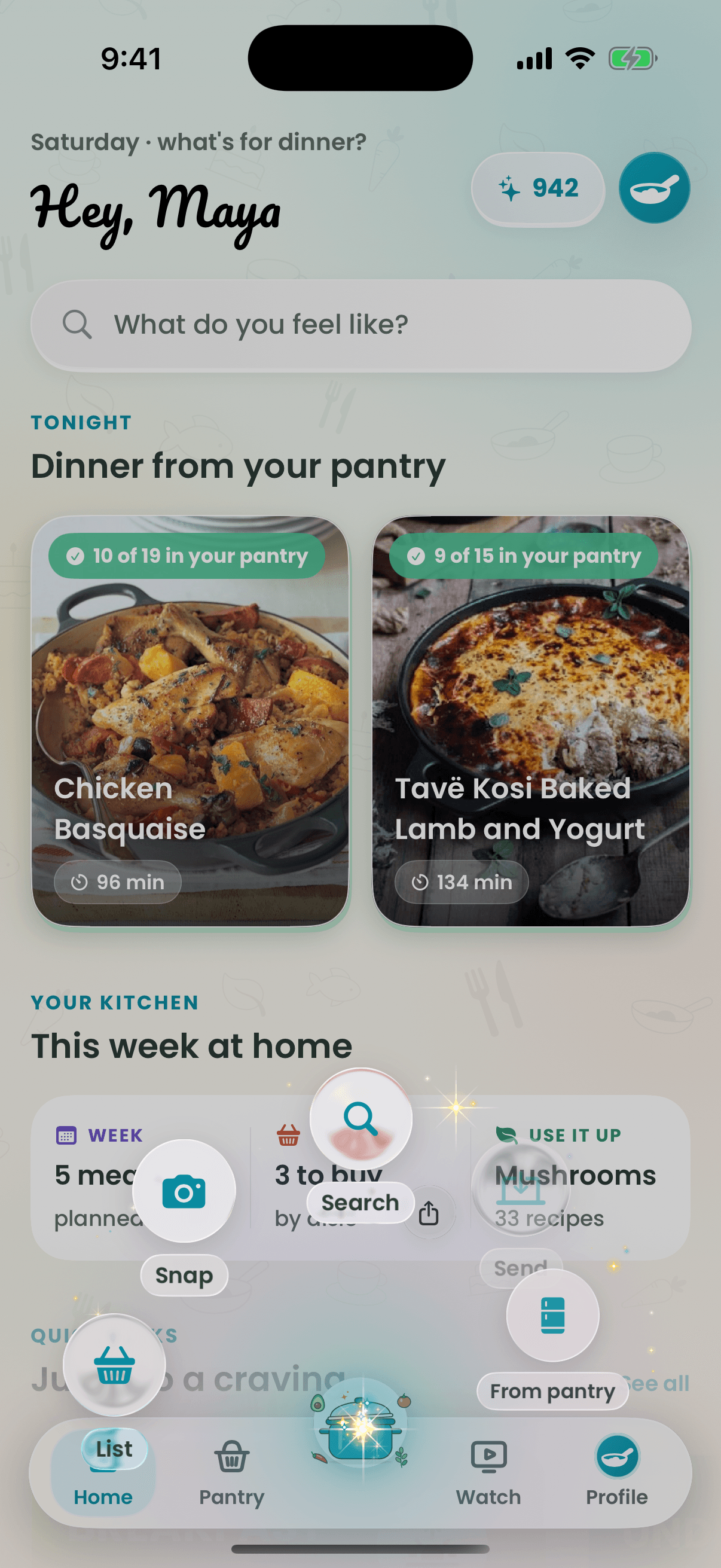
Recipe Wizard runs natively on iPhone and Apple Watch, and in any browser at recipe-wizard.app — same account and cookbook, and one plan across iPhone and the web. Draw a circle on your phone, or use the wand's Send, and the recipe opens on your laptop with a burst of gold.

How it works
- 1
Sign in on your iPhone and at recipe-wizard.app.
- 2
On a recipe, draw a circle or tap Send in the wand.
- 3
It opens on your computer instantly.
Why cooks love it
- One plan, both places
- A plan bought on iPhone works on the web, and the other way round.
- The wand
- Hold the pot for a fan of shortcuts, flick it, or draw a shortcut anywhere.
- Any browser
- Windows and Chromebook use the web app: if it has a browser, it has Recipe Wizard.
Questions
Is Recipe Wizard available on Android?
Yes. Get it on Google Play and sign in with the same account.
Does Recipe Wizard work on Windows or Chromebook?
Yes. Open recipe-wizard.app in any modern browser and sign in with the same account.
Can I send a recipe from my phone to my computer?
Yes. Draw a circle on a recipe or use Send in the wand and it opens on your signed-in computer instantly.
Keep exploring
Tonight’s dinner is one tap away.
Free to start on iPhone, iPad, Apple Watch, Mac, Android and the web.